Completing the Form
This guide walks you through all the fields and options when completing an IPRA request form.
Enter Request Details
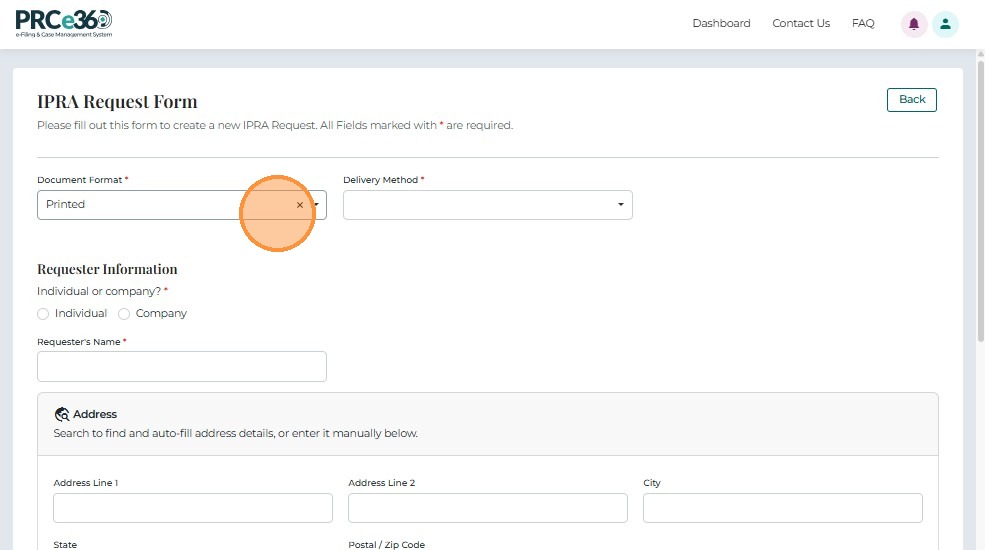
Provide a detailed description of the records being requested and select the preferred document format:
- Digital Format – Choose this option to receive records electronically.
- Printed Format – Choose this option if you require physical copies.
If Printed is selected, choose one of the following delivery options:
- Pickup – Retrieve the printed documents in person.
- Mail – Receive the printed copies by mail.
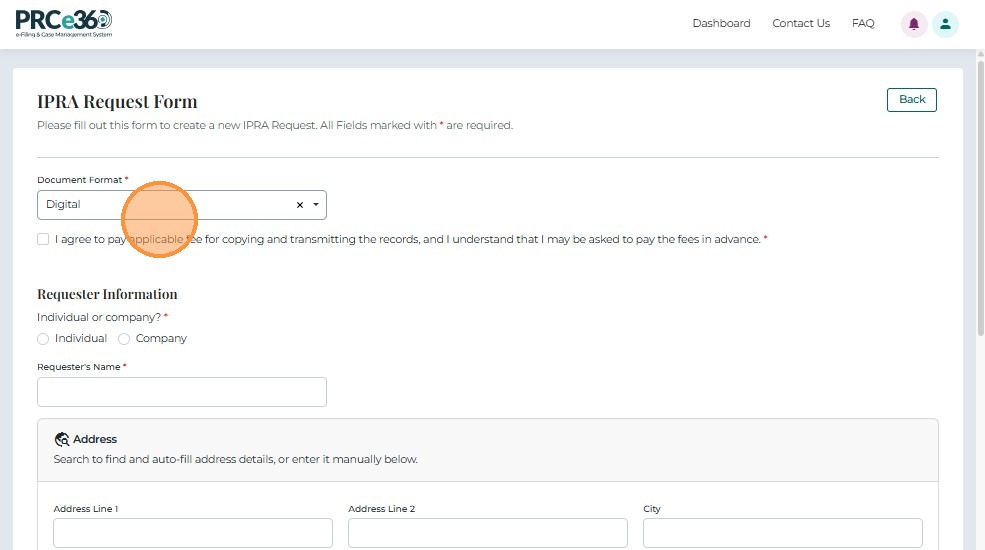
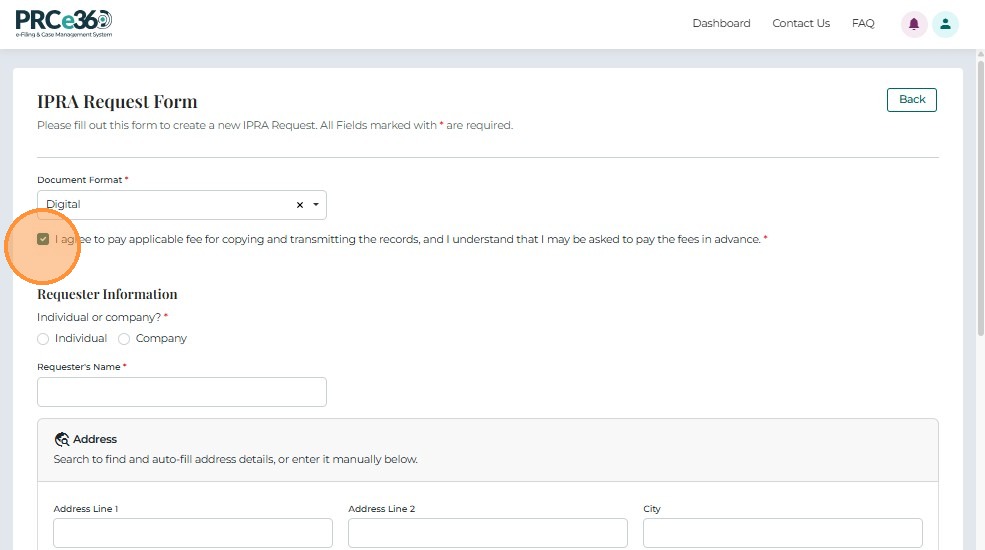
Select Submission Type
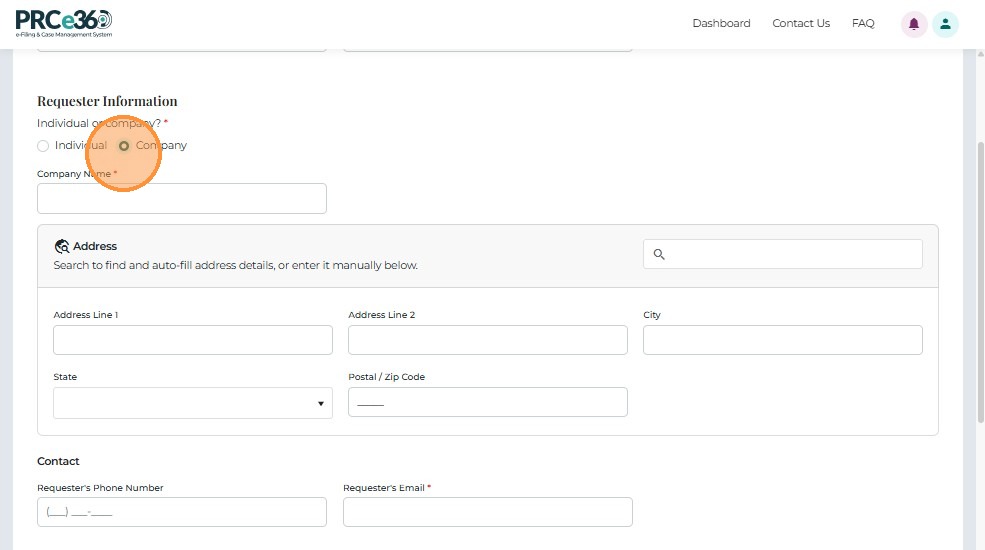
Users may file a request either as an Individual or Company.
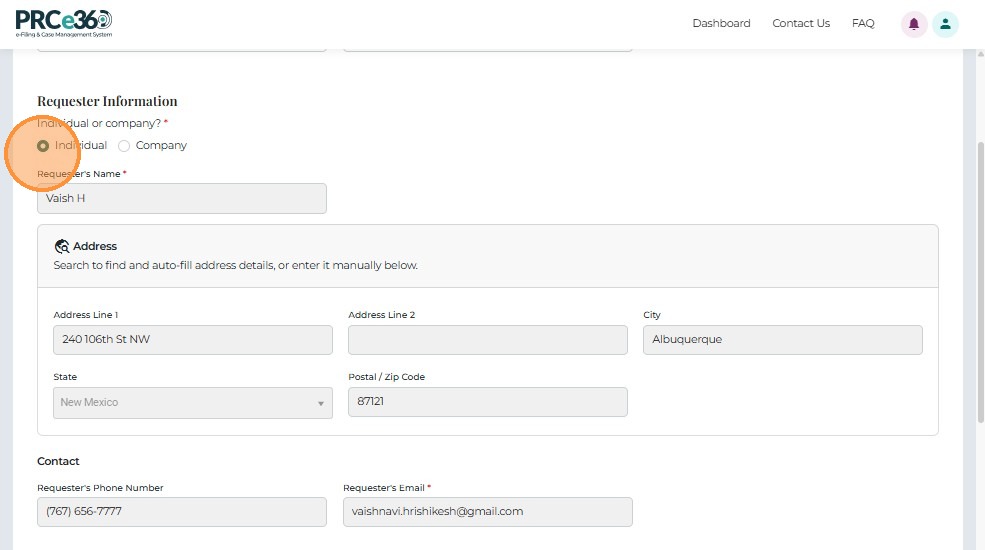
Individual
- Select Individual using the radio button.
- Your personal details (name, email, etc.) will populate automatically and may be edited if necessary.
Company
- Select Company to file the request on behalf of a business entity.
- Enter all required company information manually.
Form Validation Requirements
Before submitting, ensure all fields meet these requirements:
Required Fields (marked with *)
- Submission Type - Must select Individual or Company
- Request Description - Must provide detailed description of records requested
- Document Format - Must select Digital or Printed
- Contact Information - Name, email, phone, address (all required)
- Delivery Method - Required if Printed format selected
Field Format Requirements
| Field | Requirements |
|---|---|
| Valid email format (name@example.com) | |
| Phone | Standard format (XXX-XXX-XXXX or (XXX) XXX-XXXX) |
| Address | Complete address including city, state, ZIP code |
| Request Description | Be as specific as possible - include dates, document types, subject matter |
Request Description Best Practices
Good Request:
- "All rate case filings and orders for docket numbers 23-00123, 23-00124, and 23-00125 from January 1, 2023 to December 31, 2023"
- "Correspondence between NMPRC staff and [Company Name] regarding [specific topic] from [date range]"
Poor Request:
- "All documents" (too broad)
- "Everything about utilities" (not specific)
- "Rate cases" (missing dates and specifics)
Writing an Effective Request
- Be specific about document types (filings, orders, correspondence, etc.)
- Include date ranges when possible
- Reference specific docket numbers if applicable
- Specify subject matter or topics
- Avoid overly broad requests that may be marked "Broad and Burdensome"
Common Mistakes to Avoid
Avoid These Common Errors
Vague or Overly Broad Requests
- Don't request "all documents" - be specific
- Don't omit date ranges - include timeframes
- Don't make requests that are too broad - they may be rejected as "Broad and Burdensome"
Missing Contact Information
- Don't use an email you don't check regularly - you'll miss clarification requests
- Don't provide incorrect phone numbers
- Don't forget to include complete mailing address if requesting printed documents
Wrong Format Selection
- Don't select Printed if you want digital copies (digital is faster and free)
- Don't forget to select delivery method if choosing Printed format
- Don't select Mail without providing correct mailing address
Incomplete Request Description
- Don't write "I need some documents" - describe exactly what you need
- Don't forget to include relevant dates, docket numbers, or subject matter
- Don't make multiple separate requests for related documents - combine into one request
Not Responding to Clarification Requests
- Don't ignore emails asking for clarification
- Don't delay responding - it slows down processing
- Don't forget to check your spam folder for PRC emails
Next Steps
After completing the form:
- Submitting Your Request - Submit your IPRA request
Related Guides
- Submit IPRA Request - Overview - Introduction to IPRA requests
- Getting Started - How to access the request form