Submitting
This guide covers the final steps to submit your formal complaint to the NMPRC system.
Review Your Complaint
Before submitting, review all the information you've entered:
- All required fields are completed
- Contact information is accurate
- Company/utility is correctly selected
- Complaint description is detailed and clear
- Supporting documents are uploaded (if applicable)
- Certification checkbox is checked
Submit the Complaint
Once all required information and documents are complete:
- Click Submit.
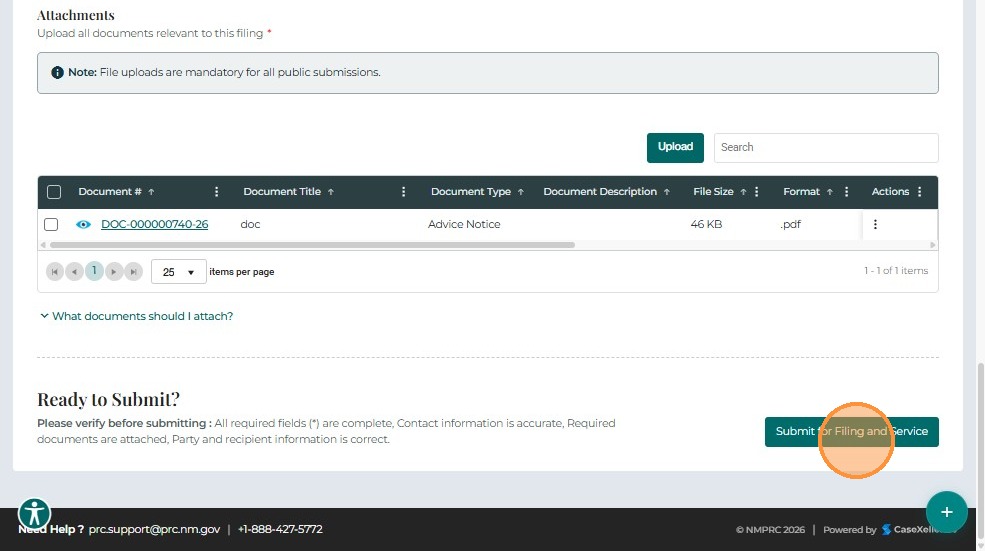
- A confirmation message displays with a Confirmation Number.
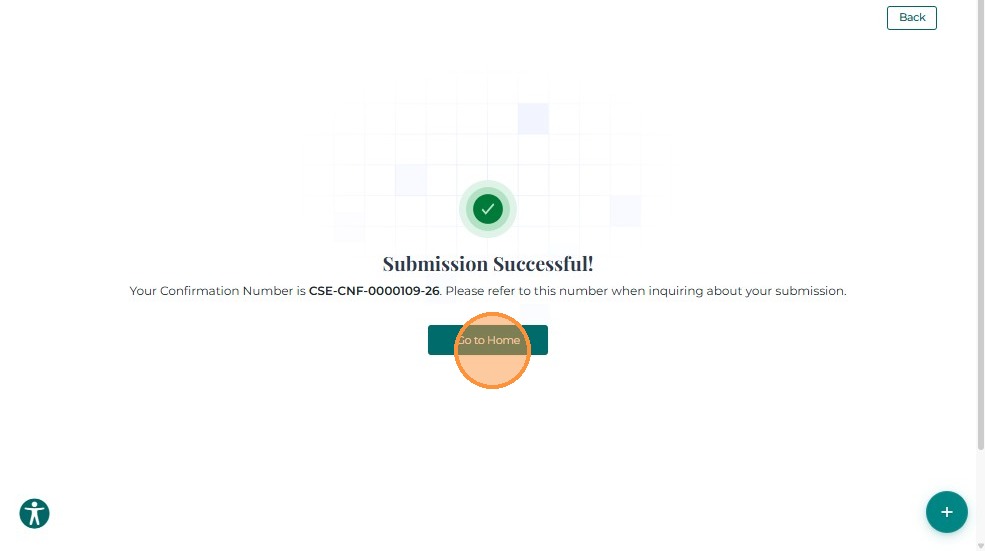
- Click Go Back to return to the dashboard.
The newly submitted complaint now appears in the My Docket queue with a New status.
Save Your Confirmation Number
Always save your confirmation number! You'll need it to:
- Track your complaint status
- Reference your complaint when contacting support
- File additional documents into the complaint later
After Submission
Once your complaint is submitted:
- You will receive a confirmation message with your Confirmation Number
- Your complaint will appear in the My Dockets section of your dashboard
- You will receive an email confirmation (check spam folder if not received)
- PRC staff will review your complaint (typically within 2-5 business days)
Next Steps
After submitting your complaint:
- Managing Your Complaint - View status, track your complaint, and understand what happens next
Related Guides
- Submit a Formal Complaint - Overview - Introduction to formal complaints
- Completing the Form - Fill out complaint details
- My Dockets - View your submitted complaints