Submit a Rulemaking Comment
A rulemaking comment gives your feedback or suggestions on an active rulemaking docket. It offers a structured, transparent way for the public to take part in the NMPRC's rulemaking process.
| User type | Where to start |
|---|---|
| Visitor without an account | The PRC landing page. |
| Tier 1 and Tier 2 users | The PRC landing page or the dashboard. |
Open the Form
From the Landing Page
You do not need to sign in to submit a comment this way.
-
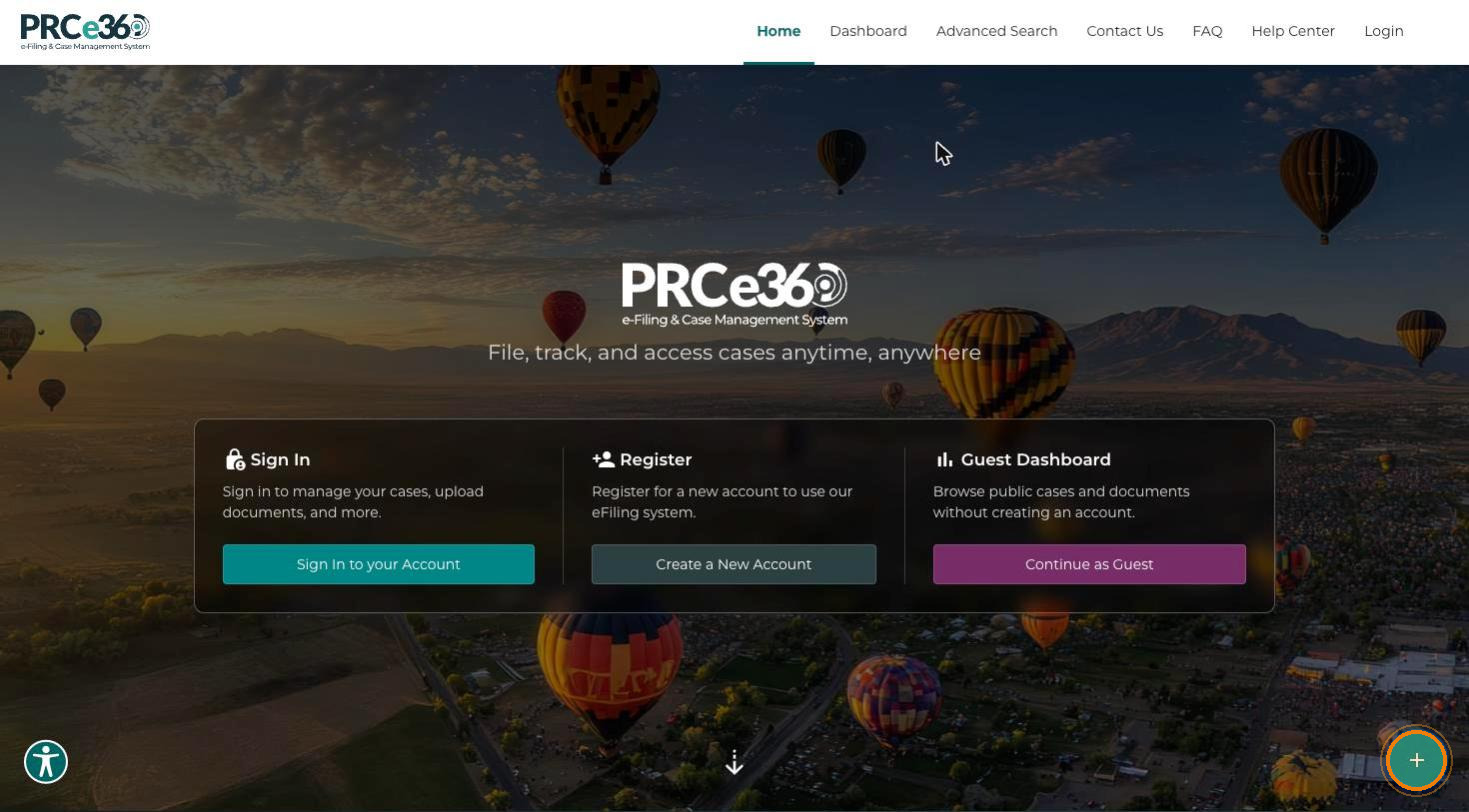
On the PRC main landing page, click Submit New (the + button at the bottom-right corner).
-
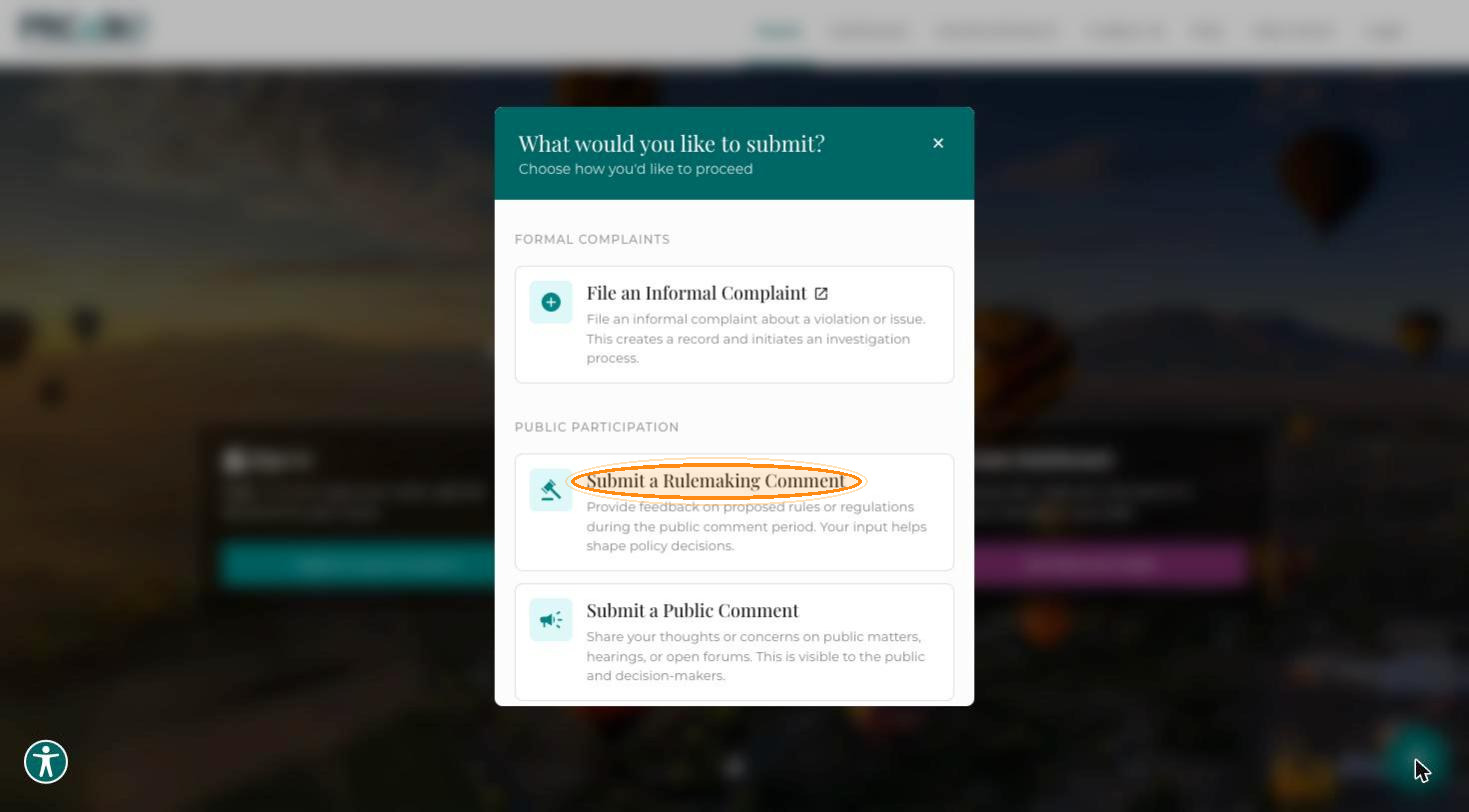
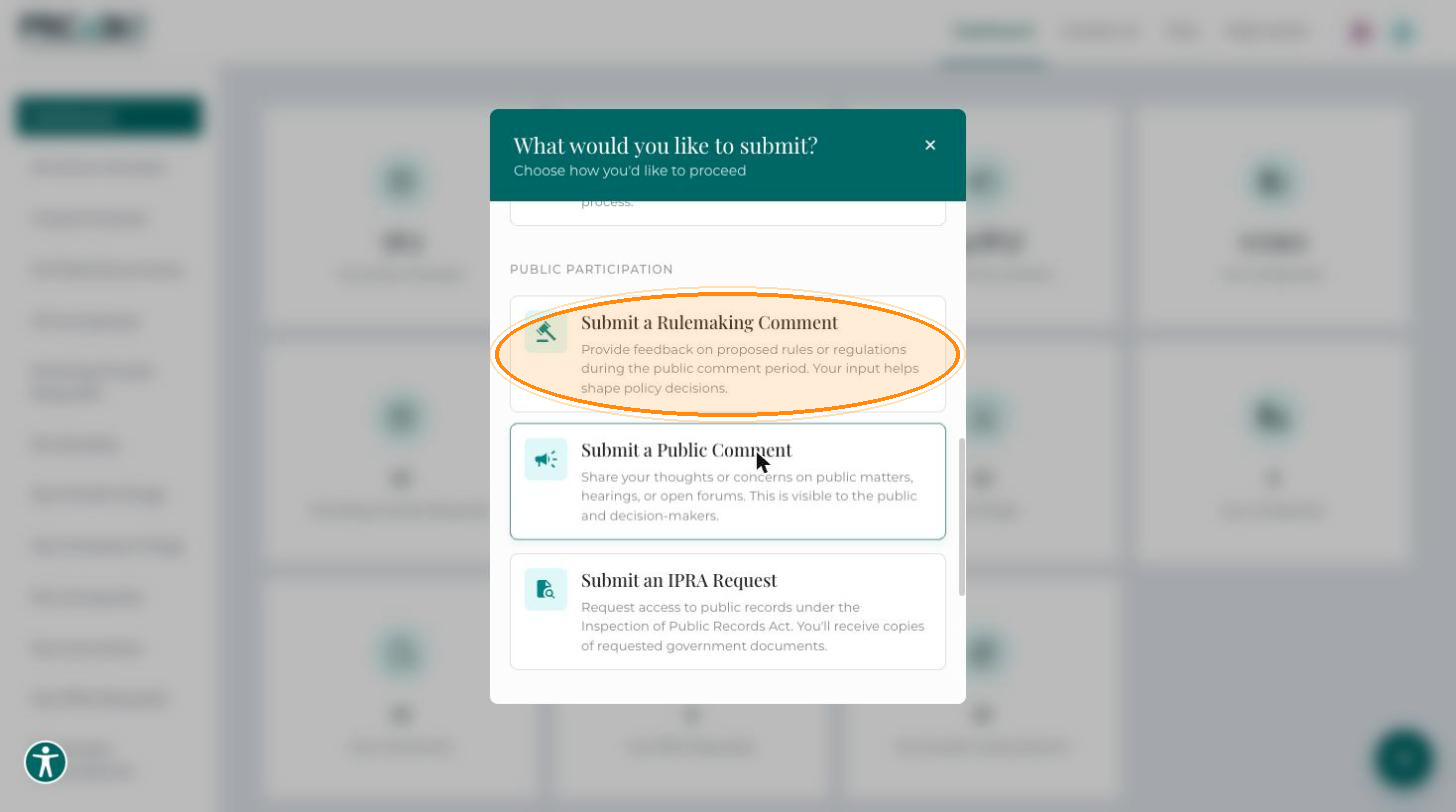
In the What would you like to submit? dialog, select Submit a Rulemaking Comment. The dialog also offers File an Informal Complaint and Submit a Public Comment.
From the Dashboard
-
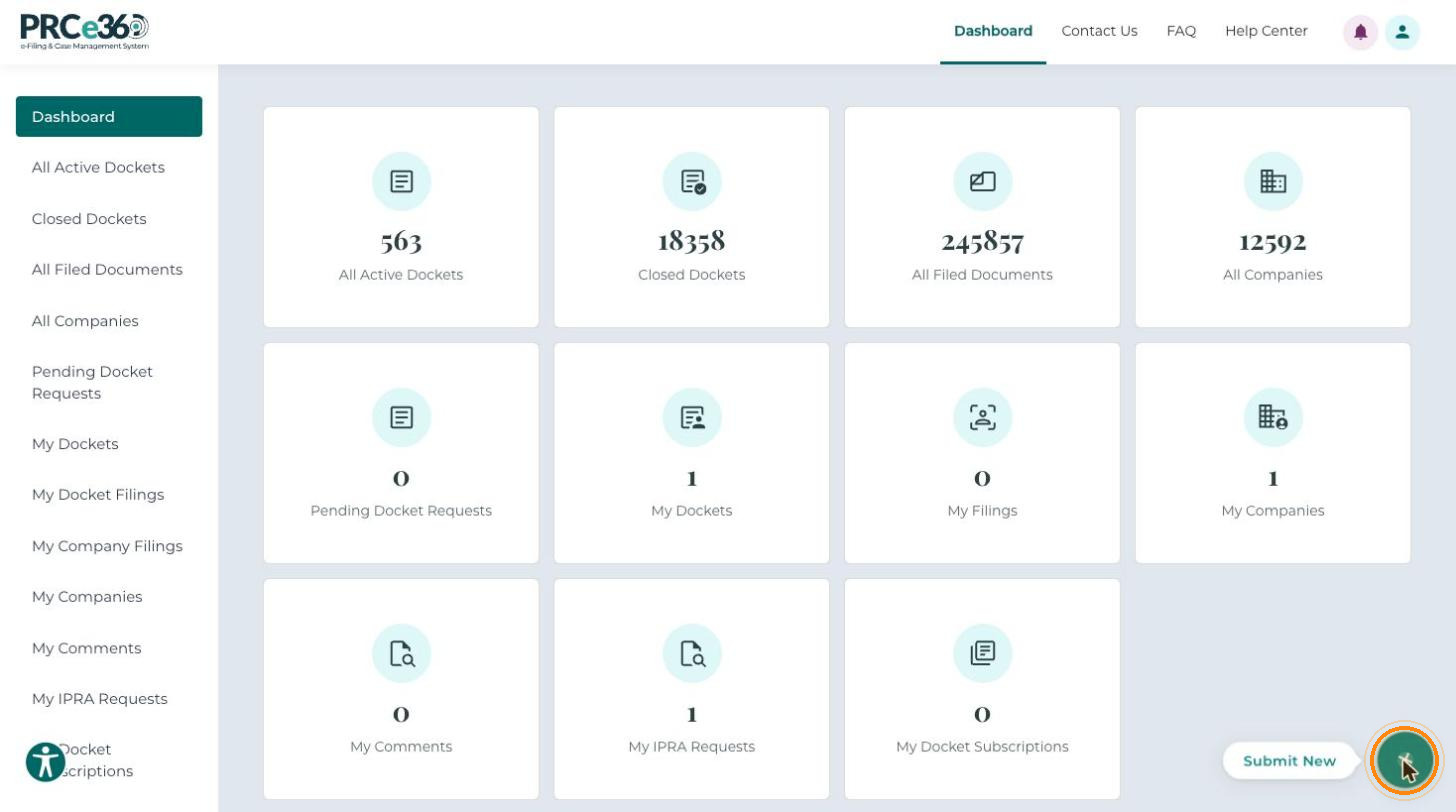
Sign in as a Tier 1 or Tier 2 user. On your dashboard, click Submit New (the + button at the bottom-right corner).
-
In the What would you like to submit? dialog, under Public Participation, select Submit a Rulemaking Comment.
The Create New Rulemaking Comment form opens. Fields marked with * are required.
Comment Details
-
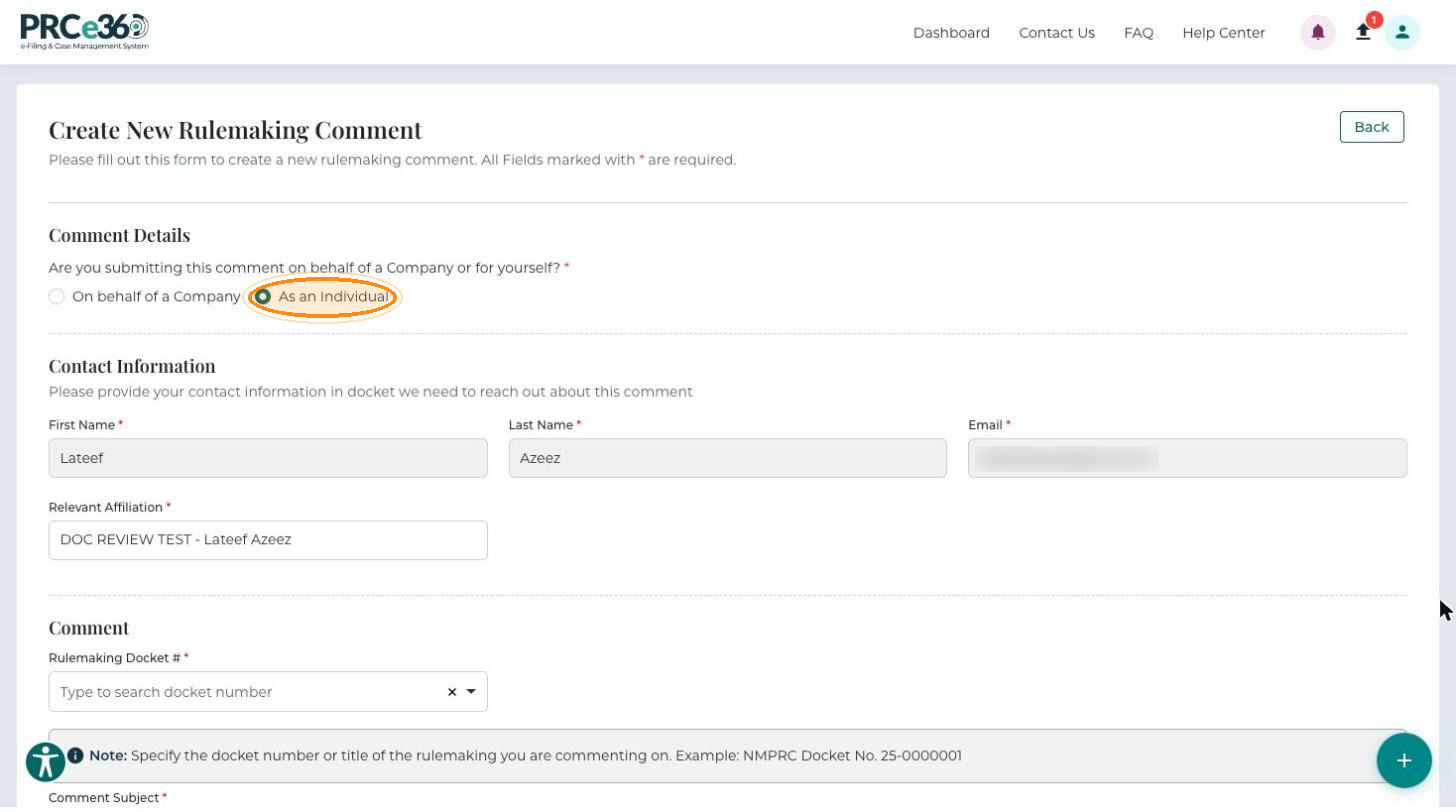
Answer Are you submitting this comment on behalf of a Company or for yourself? (required): select On behalf of a Company or As an Individual.
-
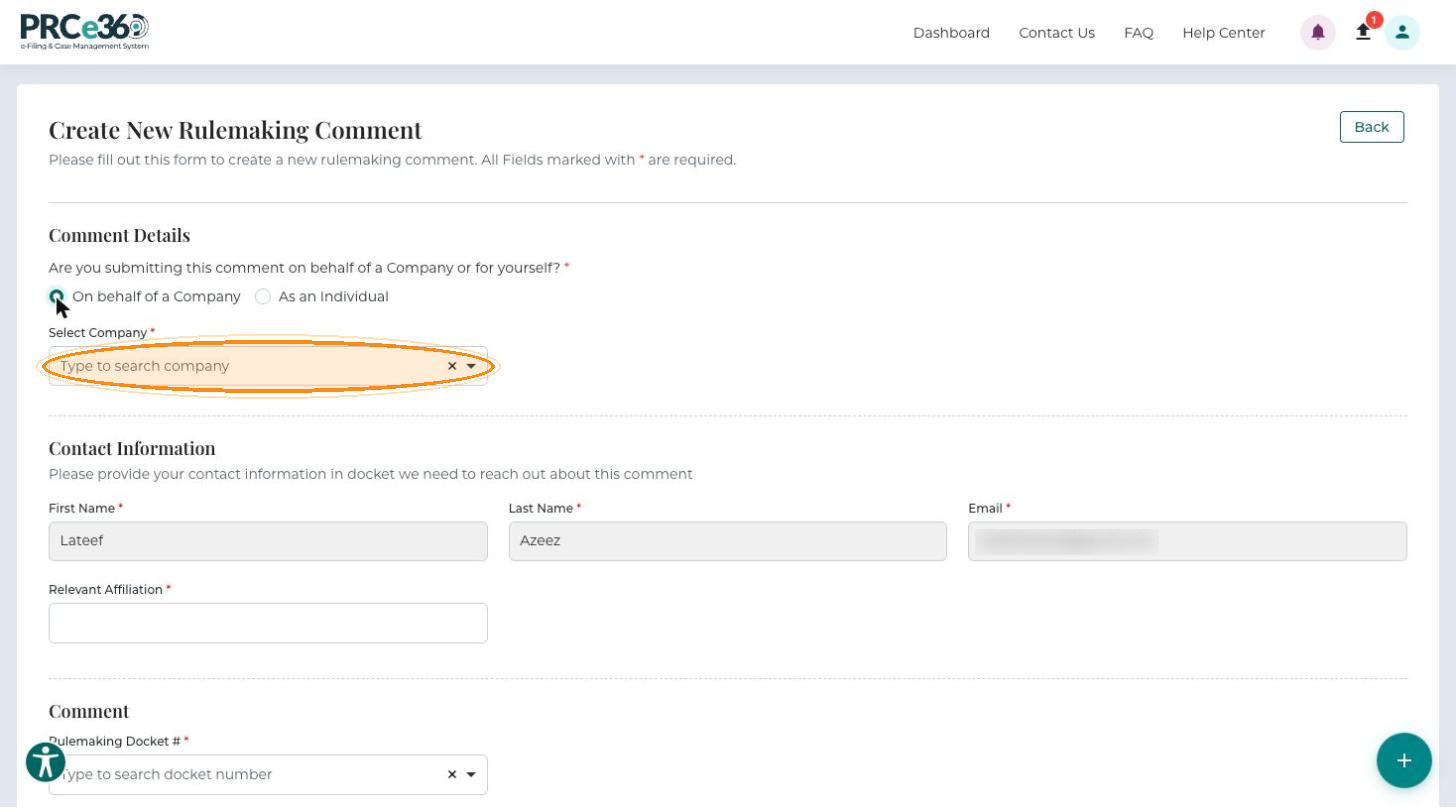
If you selected On behalf of a Company, type in Select Company to search for and select the company (required).
Contact Information
The Commission uses these details if it needs to contact you about your comment.
-
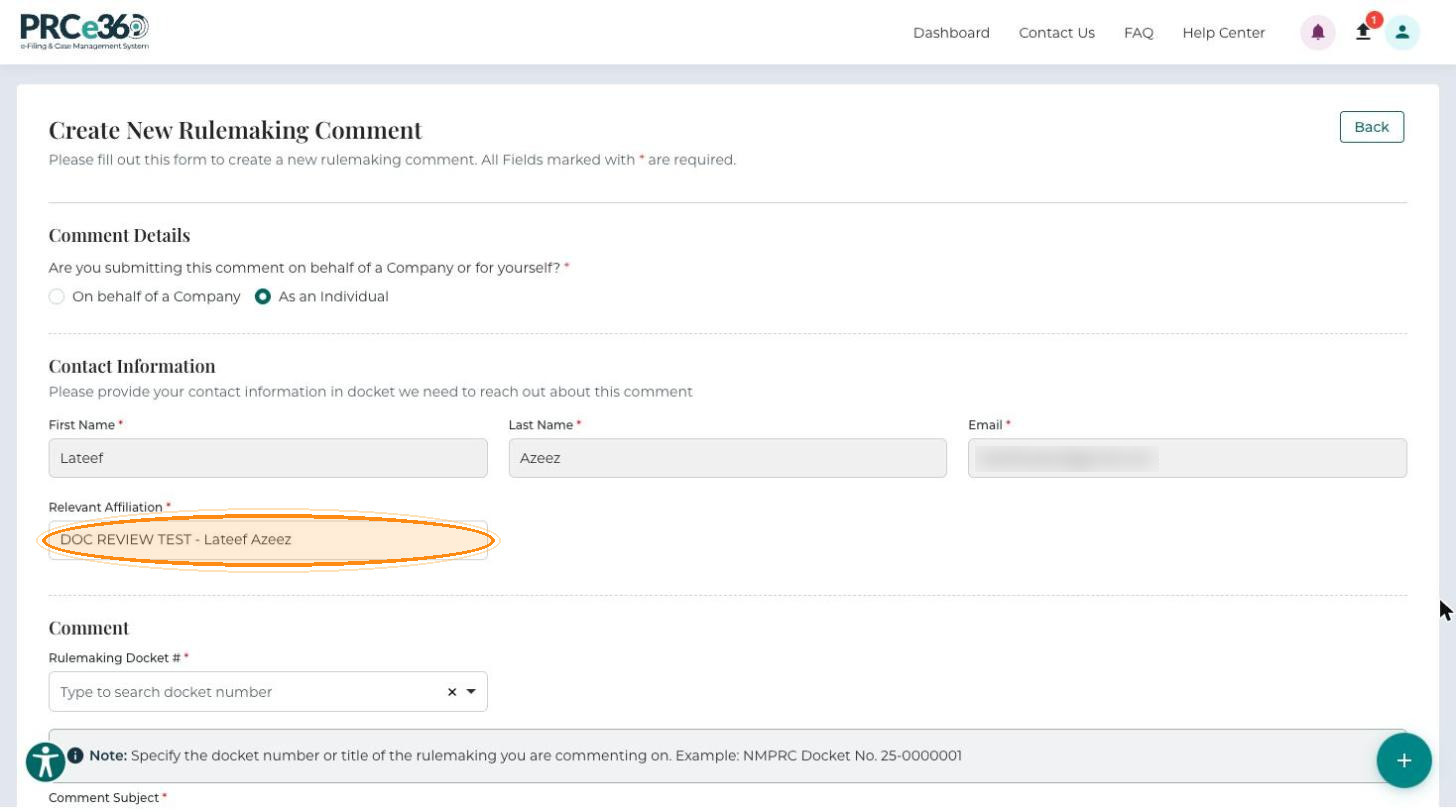
Enter your First Name, Last Name and Email (all required). If you are signed in, these fields are filled in from your profile and cannot be changed here.
-
Enter your Relevant Affiliation (required): your organization or professional affiliation.
Comment
-
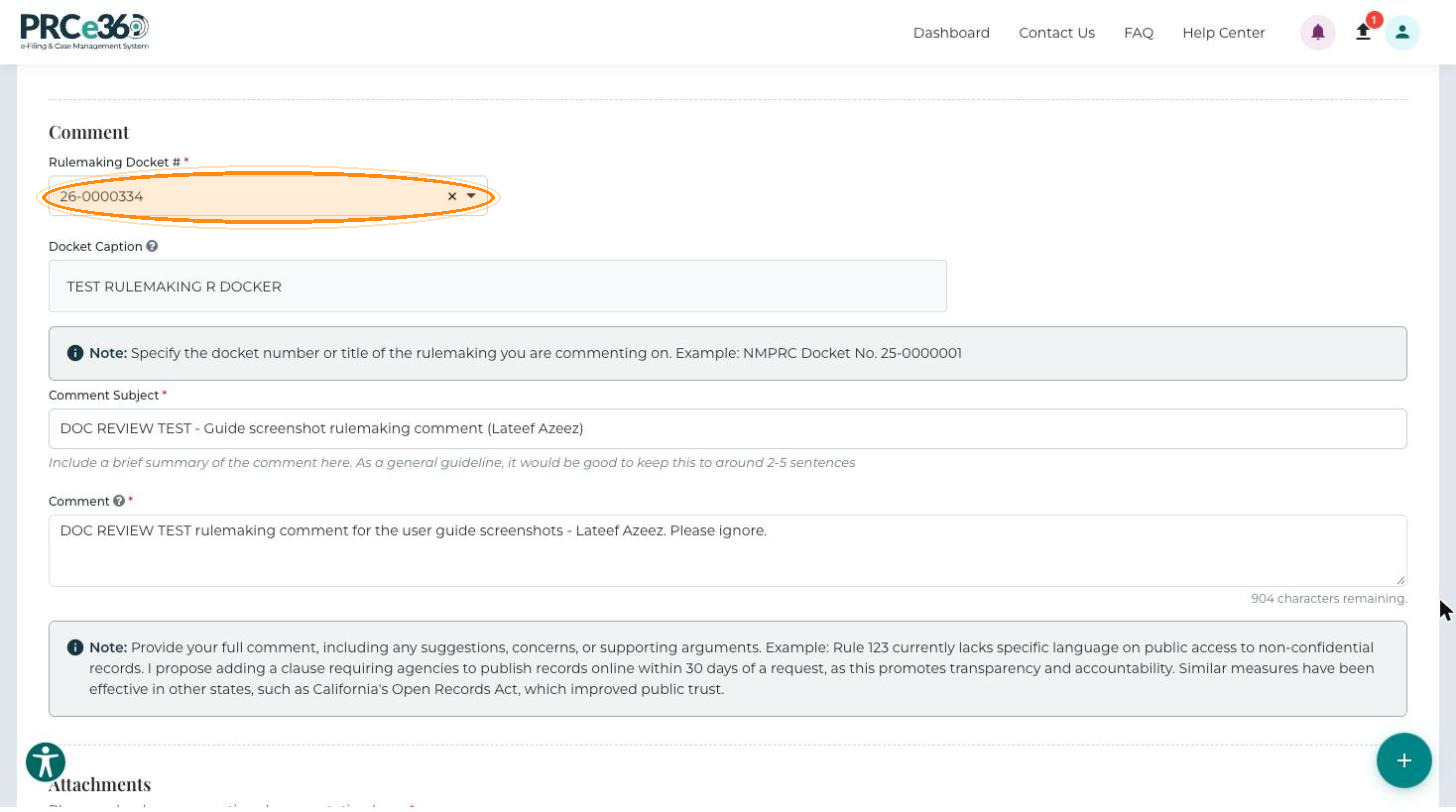
In Rulemaking Docket # (required), type to search for and select the docket number of the rulemaking you are commenting on, for example NMPRC Docket No. 25-0000001. The Docket Caption of the selected docket is shown below it.
-
Enter a Comment Subject (required): a brief summary of the comment, ideally around 2 to 5 sentences.
-
Enter your full Comment (required, up to 1,000 characters), including any suggestions, concerns, supporting arguments or suggested revisions. A counter below the box shows how many characters remain.
"Rule 123 currently lacks specific language on public access to non-confidential records. I propose adding a clause requiring agencies to publish records online within 30 days of a request."
Attachments
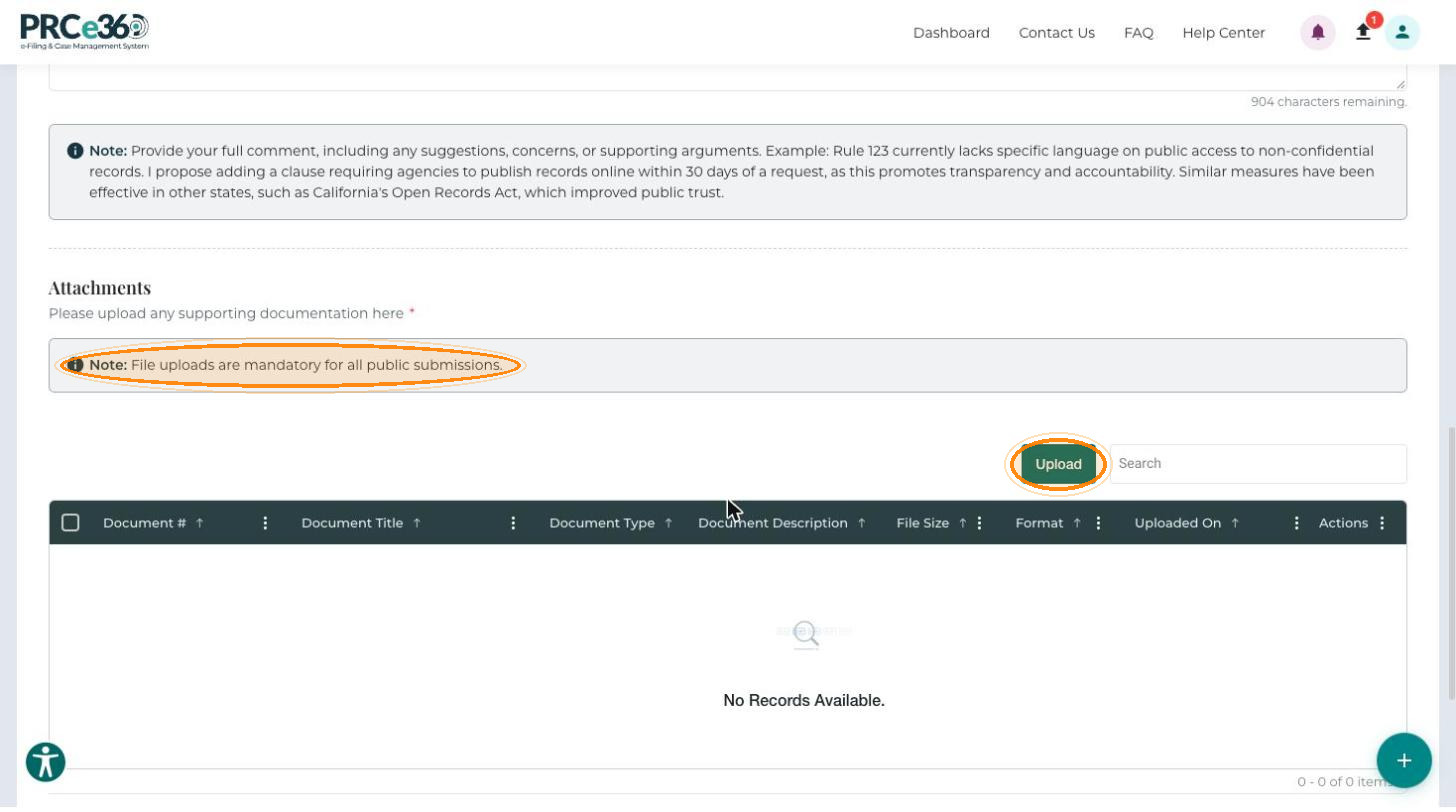
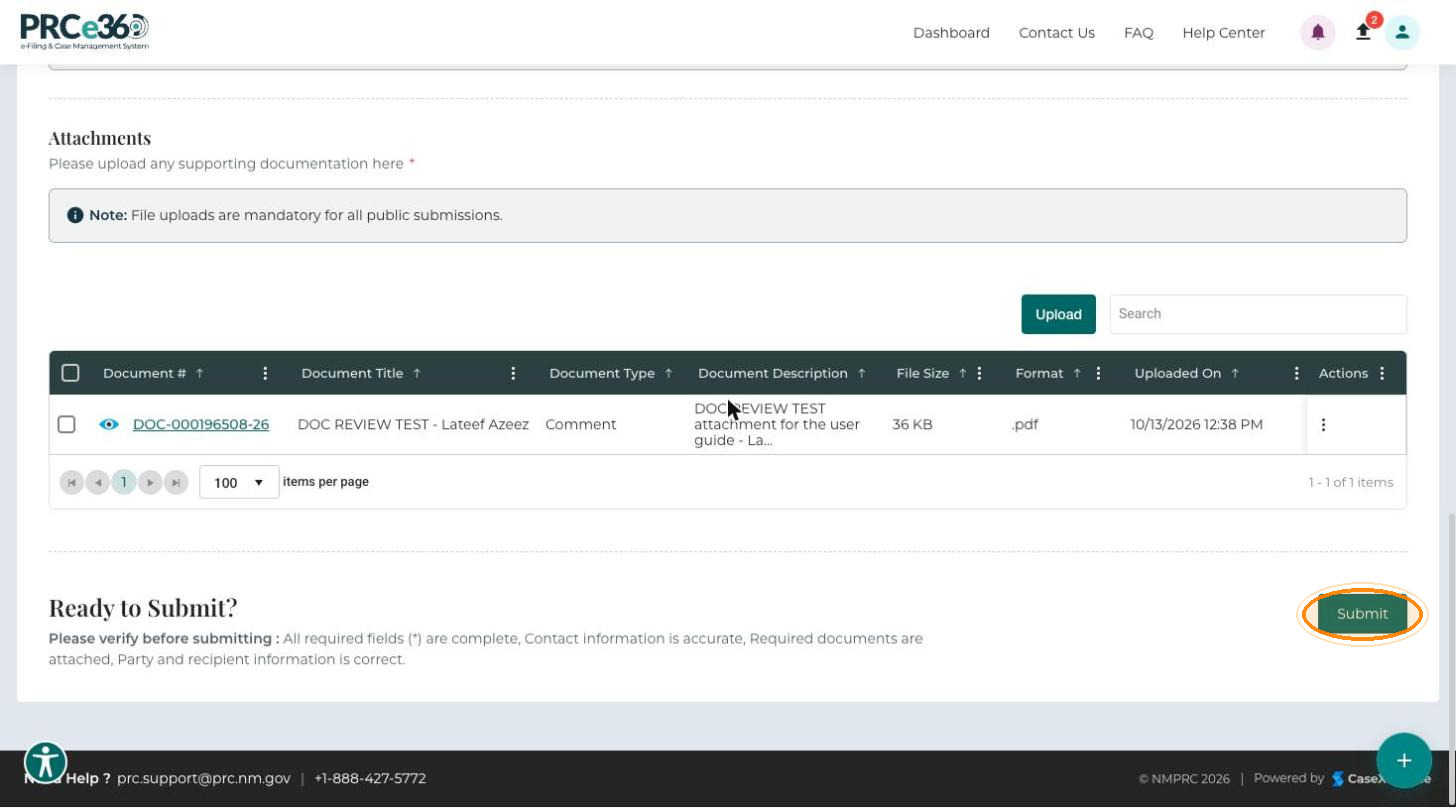
You must upload at least one supporting document: file uploads are mandatory for all public submissions.
-
In the Attachments section, click Upload.
-
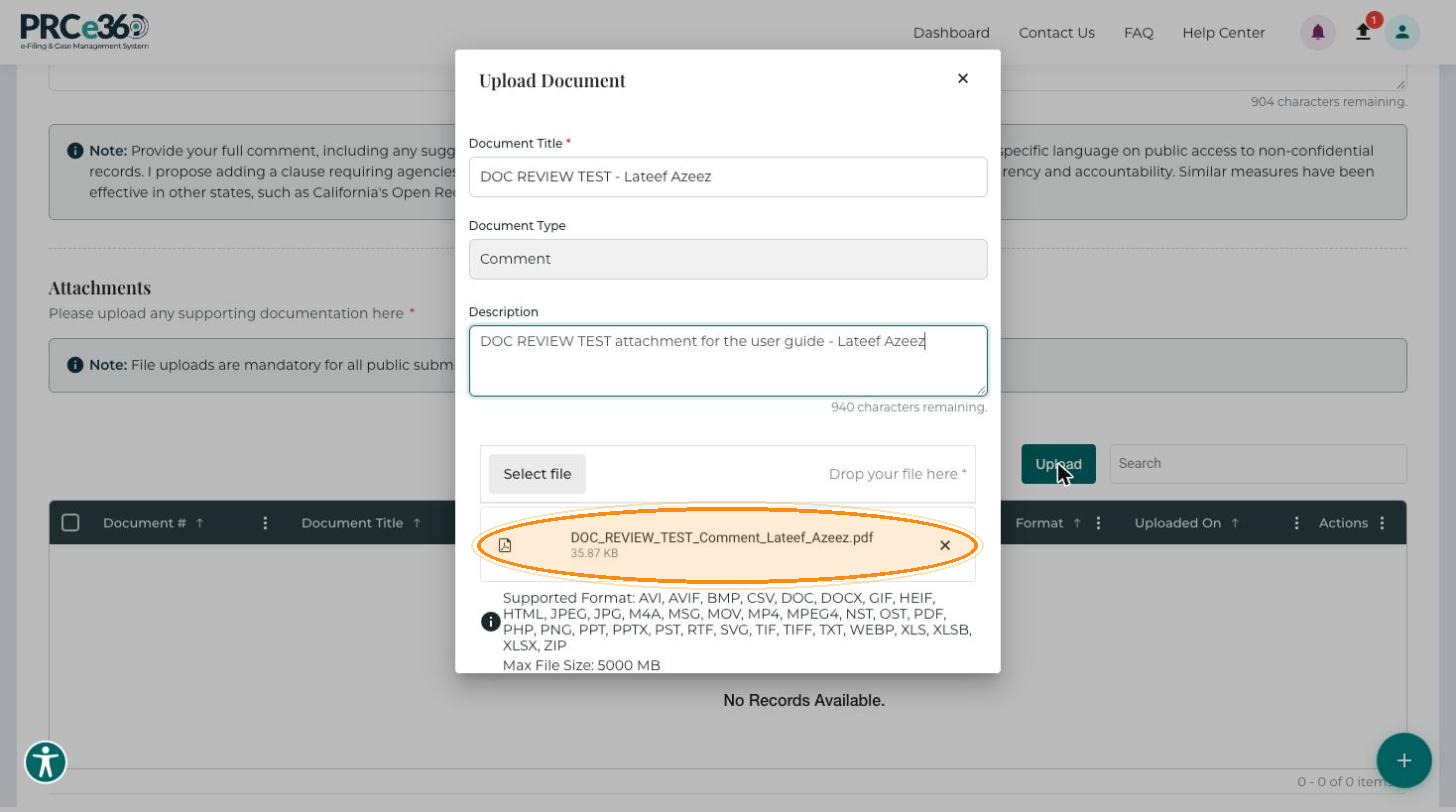
In the Upload Document dialog, enter the Document Title (required). The Document Type is set to Comment and cannot be changed.
-
Optionally, enter a Description.
-
Click Select file to browse for the file, or drag and drop it onto the dialog (required). The dialog lists the supported formats, and the maximum file size is 5000 MB.
-
Click Save to add the document to the attachments grid, or Cancel to close the dialog without saving.
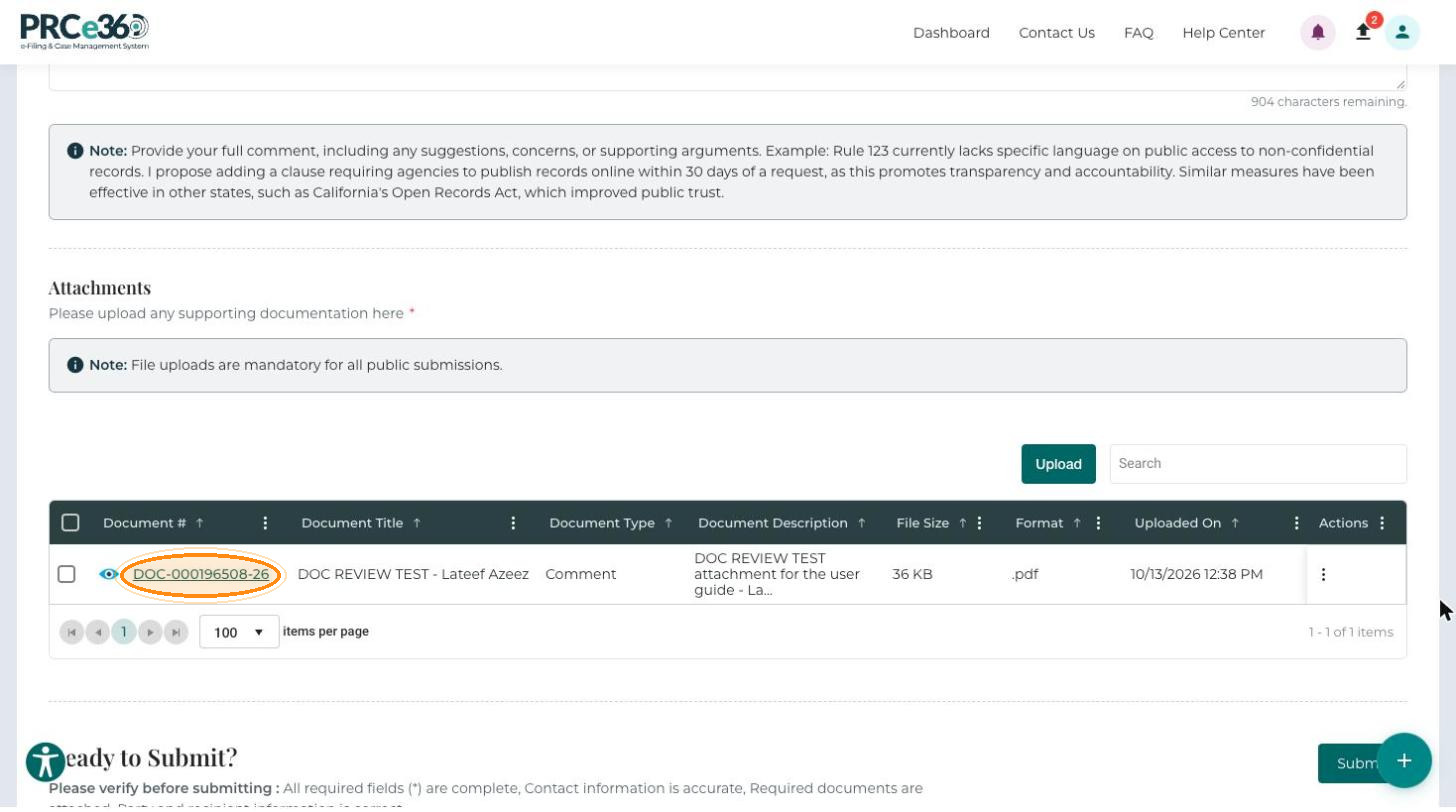
To remove a document before you submit, open the row's Actions menu (⋮).
| Column | Description |
|---|---|
| Document # | Unique number generated for each uploaded document. |
| Document Title | The title you entered. |
| Document Type | The document classification (Comment). |
| Document Description | The description you entered. |
| File Size | The size of the file. |
| Format | The file type, for example .pdf or .docx. |
| Uploaded On | Date and time the document was uploaded. |
| Actions | Menu (⋮) for removing the document. |
Submit the Comment
-
Review your entries and attachments. The Ready to Submit? section reminds you to check that all required fields are complete, your contact information is accurate and required documents are attached.
-
Click Submit to send your comment to NMPRC staff.
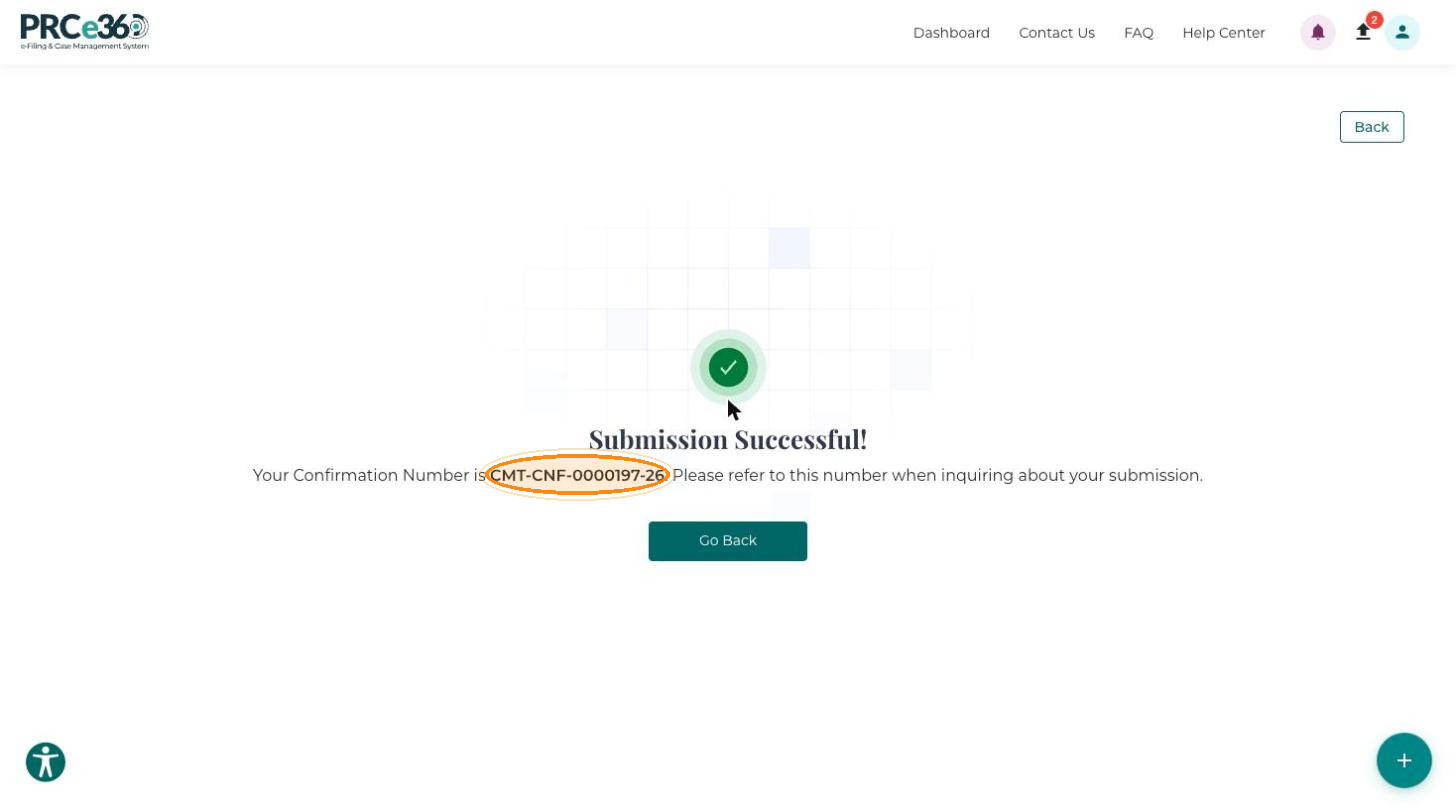
The Submission Successful! message appears with your Confirmation Number (for example, CMT-CNF-0000197-26). Refer to this number when you ask about your comment. Click Go Back to leave the page. The comment is listed under My Comments with the status Pending until PRC staff review it.