New User Registration
The User Registration process allows new users to create an account on the New Mexico Public Regulation Commission (NMPRC) Online Portal.
Follow the steps below to register, verify, and access your account.
1. New User Landing Page
When you visit the NMPRC Online Portal, the Landing Page appears with the following main options:
- Login
- Register
- Dashboard
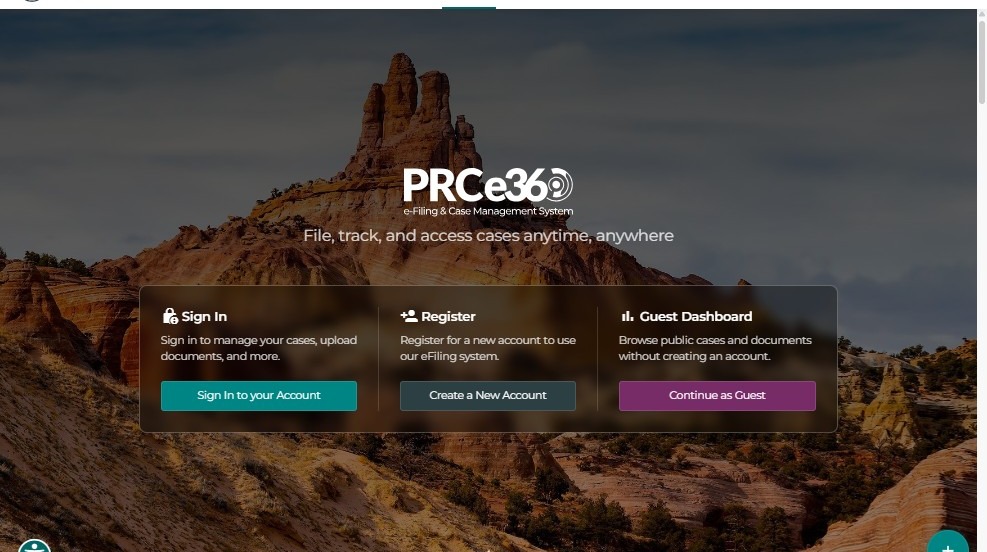
Note: Once logged in, this landing page will be bypassed and users will be redirected directly to the Dashboard.
2. Register as a New User
To begin registration:
- Click the Register button on the landing page.
- The system will display the registration form, where you must provide your details.
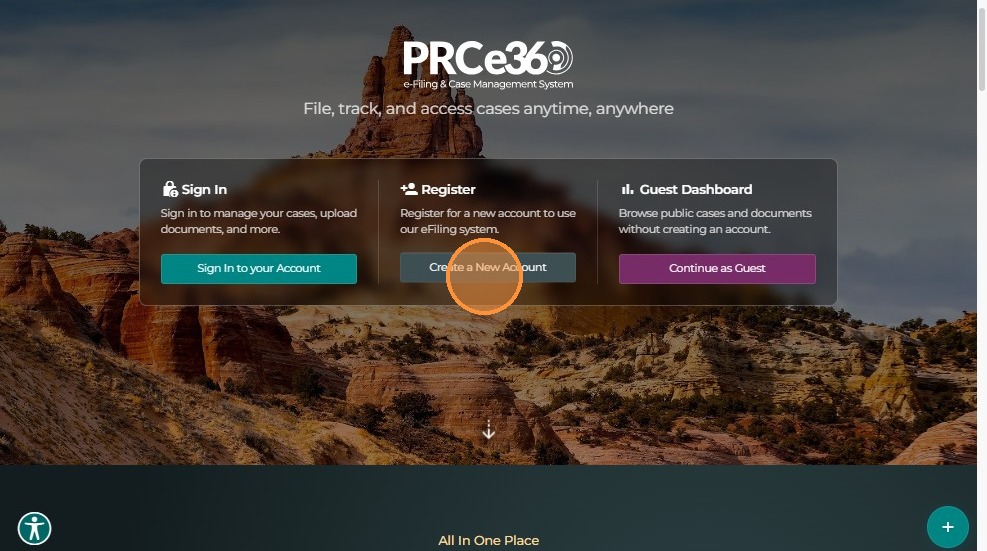
Required Information
Personal Information
- First Name
- Last Name
- Email (used as your username)
- Phone Number
Security (for MFA):
Select at least one method — Phone or Email (used for One-Time Passwords and password resets).
Password:
Create a strong password that meets the following requirements:
- Minimum length (typically 8-12 characters)
- At least one uppercase letter
- At least one lowercase letter
- At least one number
- At least one special character (!@#$%^&*)
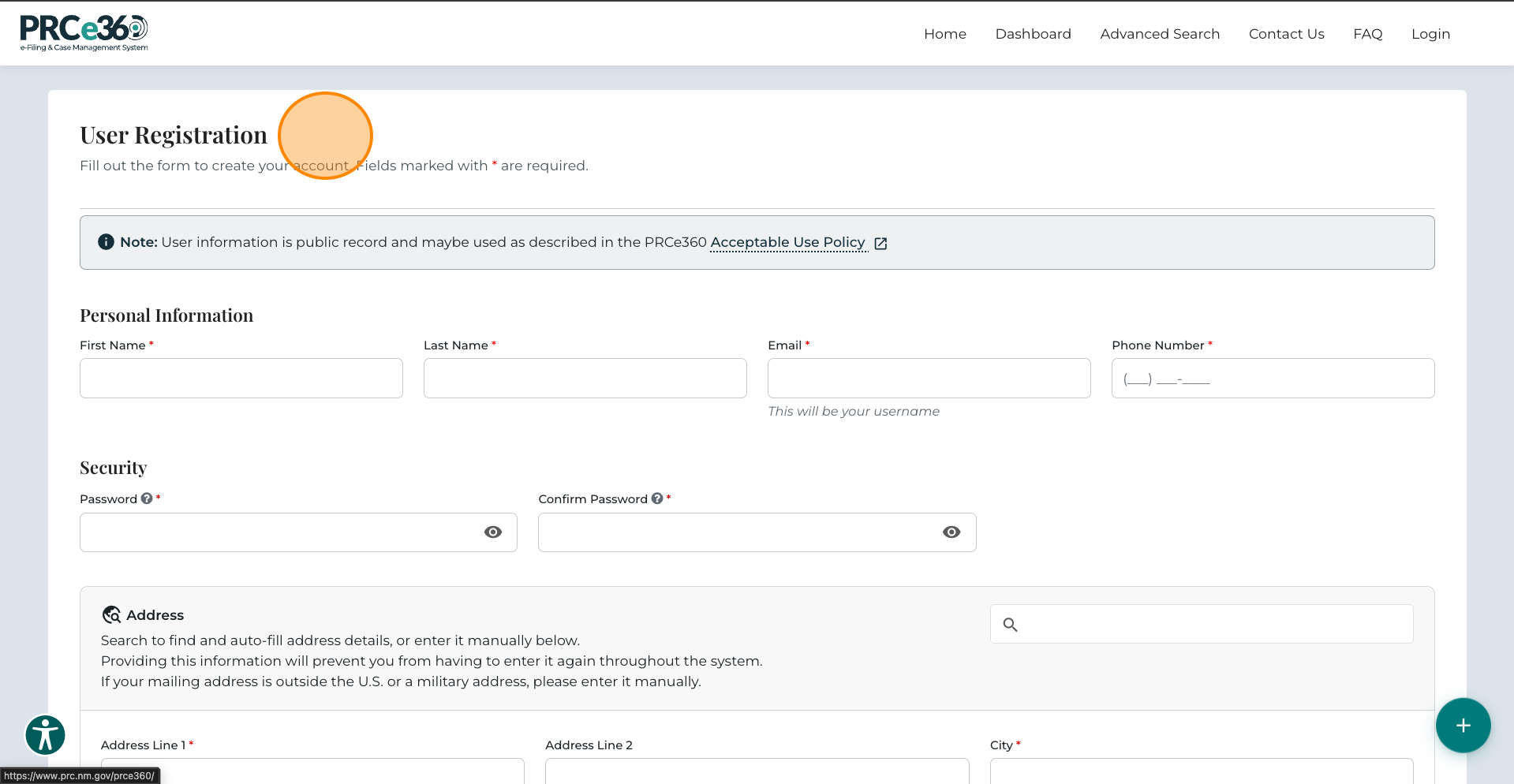
Address:
Provide:
- Address Line 1
- City
- State
- Postal/Zip Code
3. Additional Information
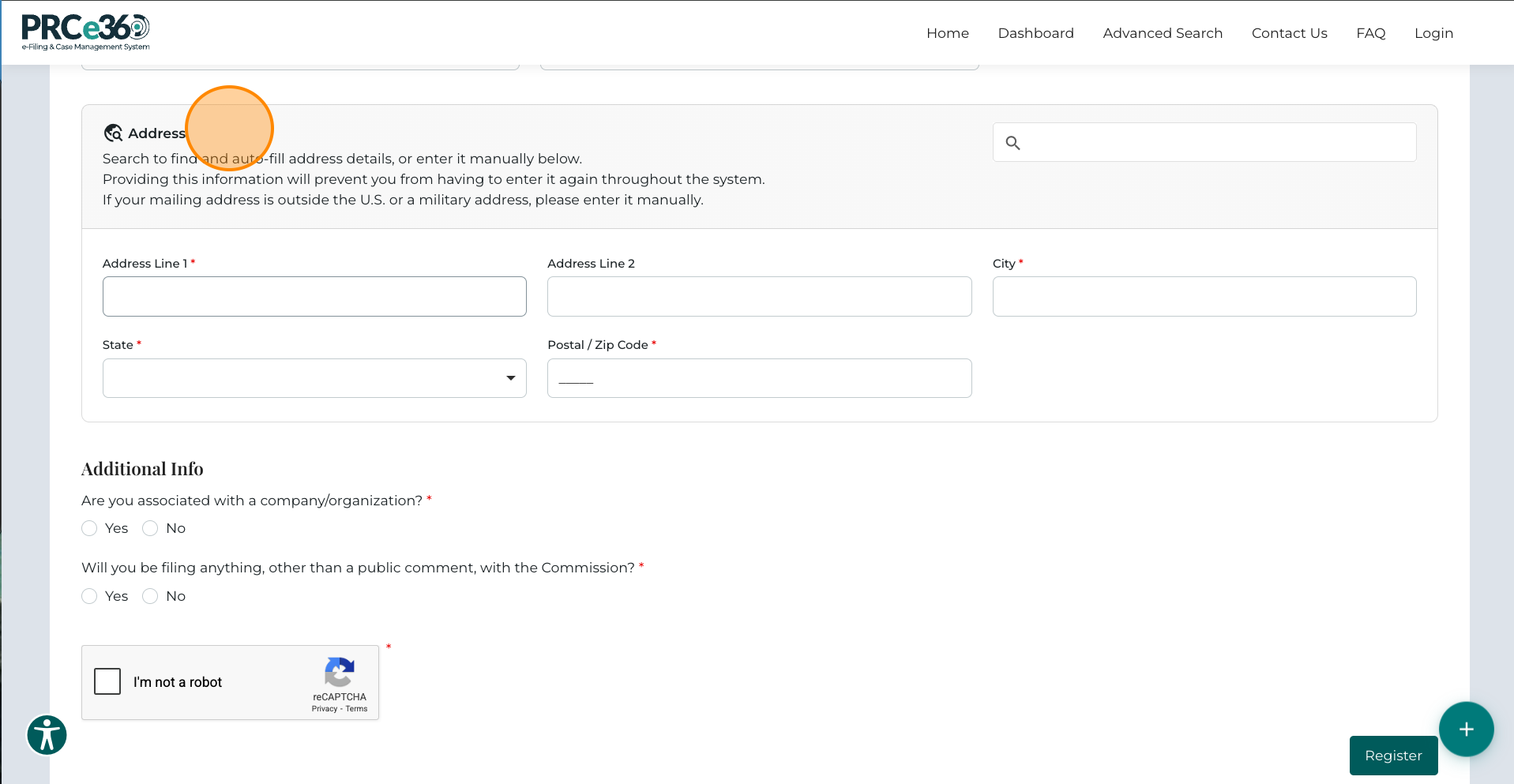
During registration, you will also be asked:
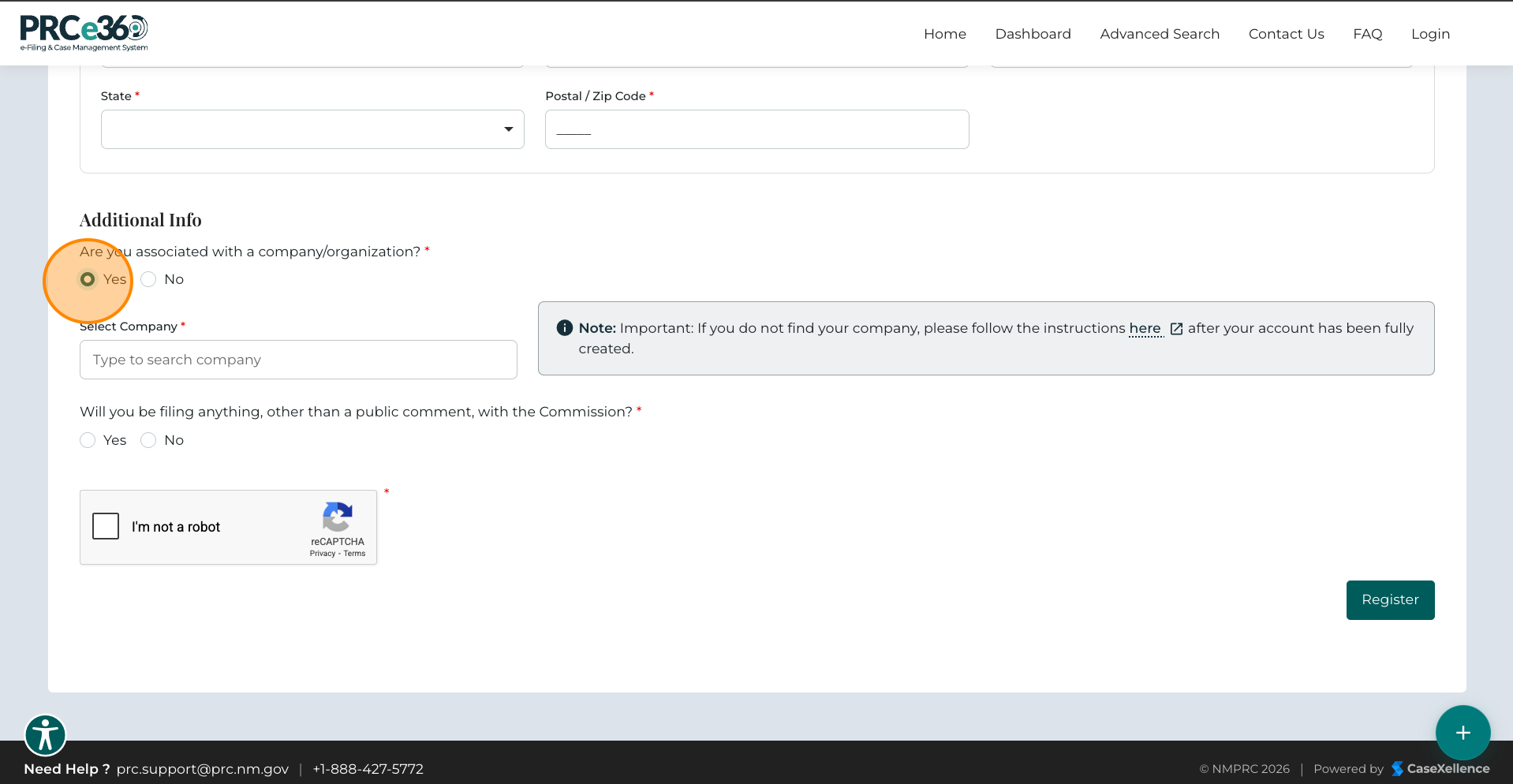
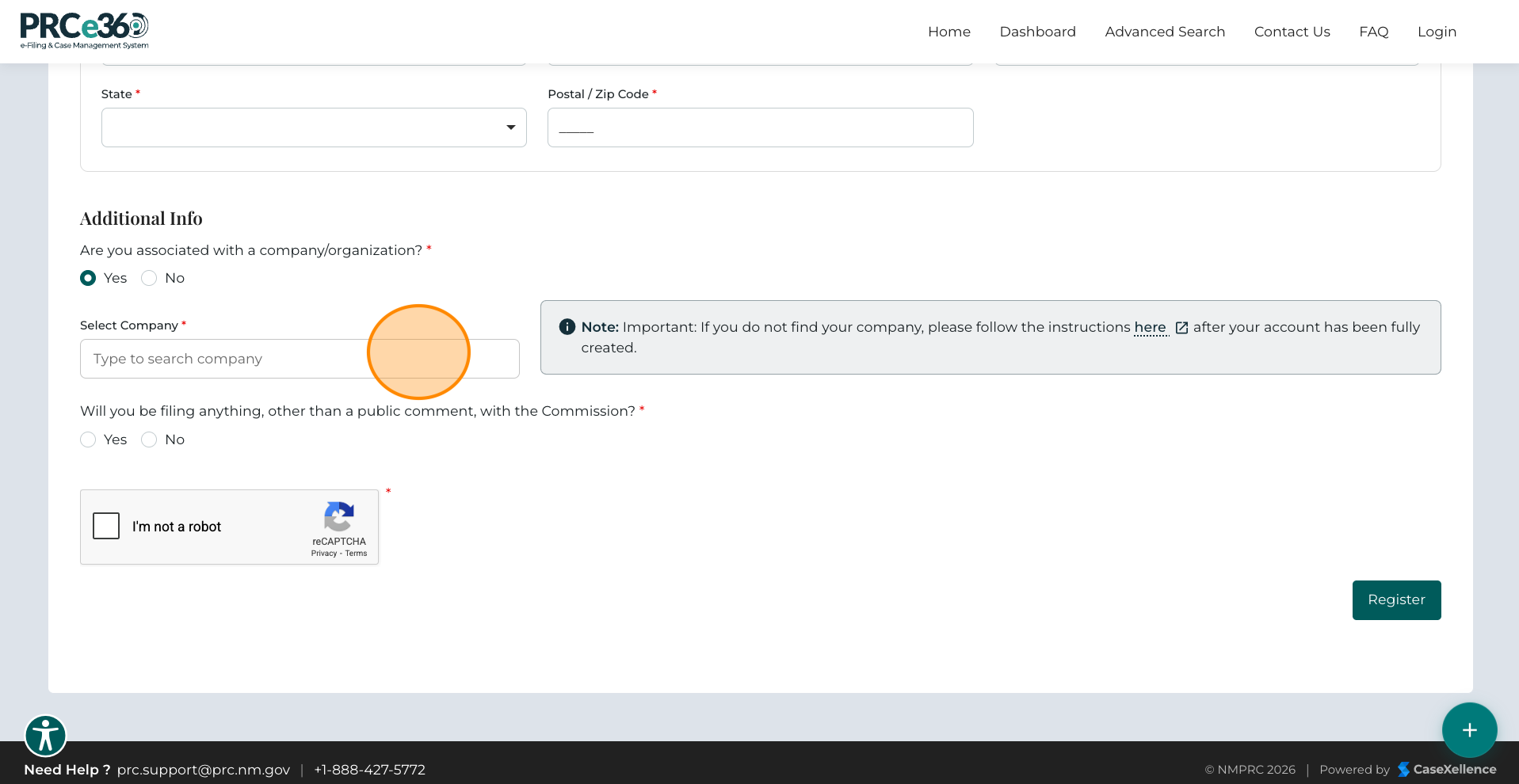
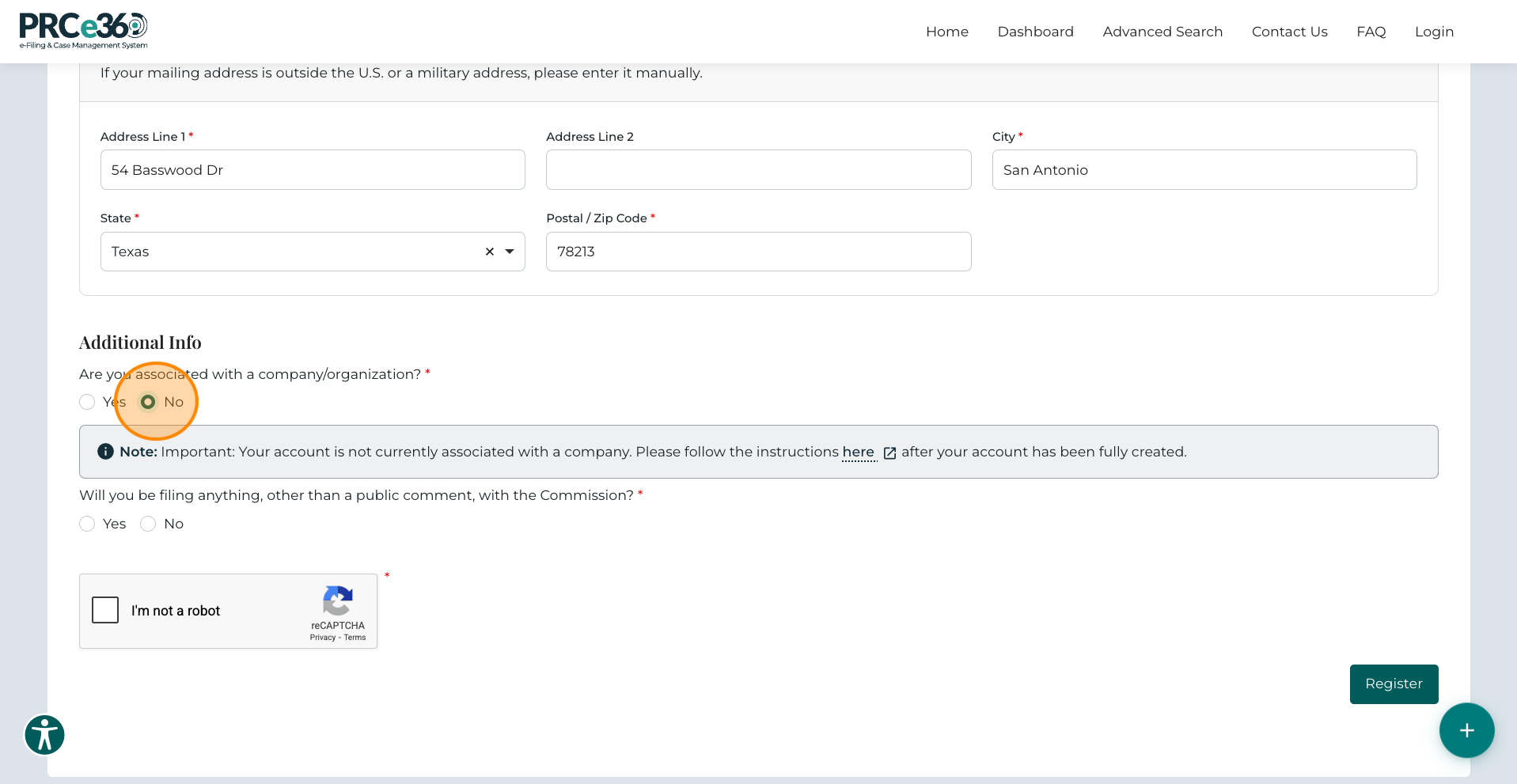
Are you associated with a company?
- If Yes, a Company field appears where you can enter your organization name.
- If No, continue without filling in company information.
4. Tier 1 and Tier 2 User Selection
The NMPRC Portal classifies users into two types based on their filing permissions — Tier 1 and Tier 2.
For Tier 1 Users
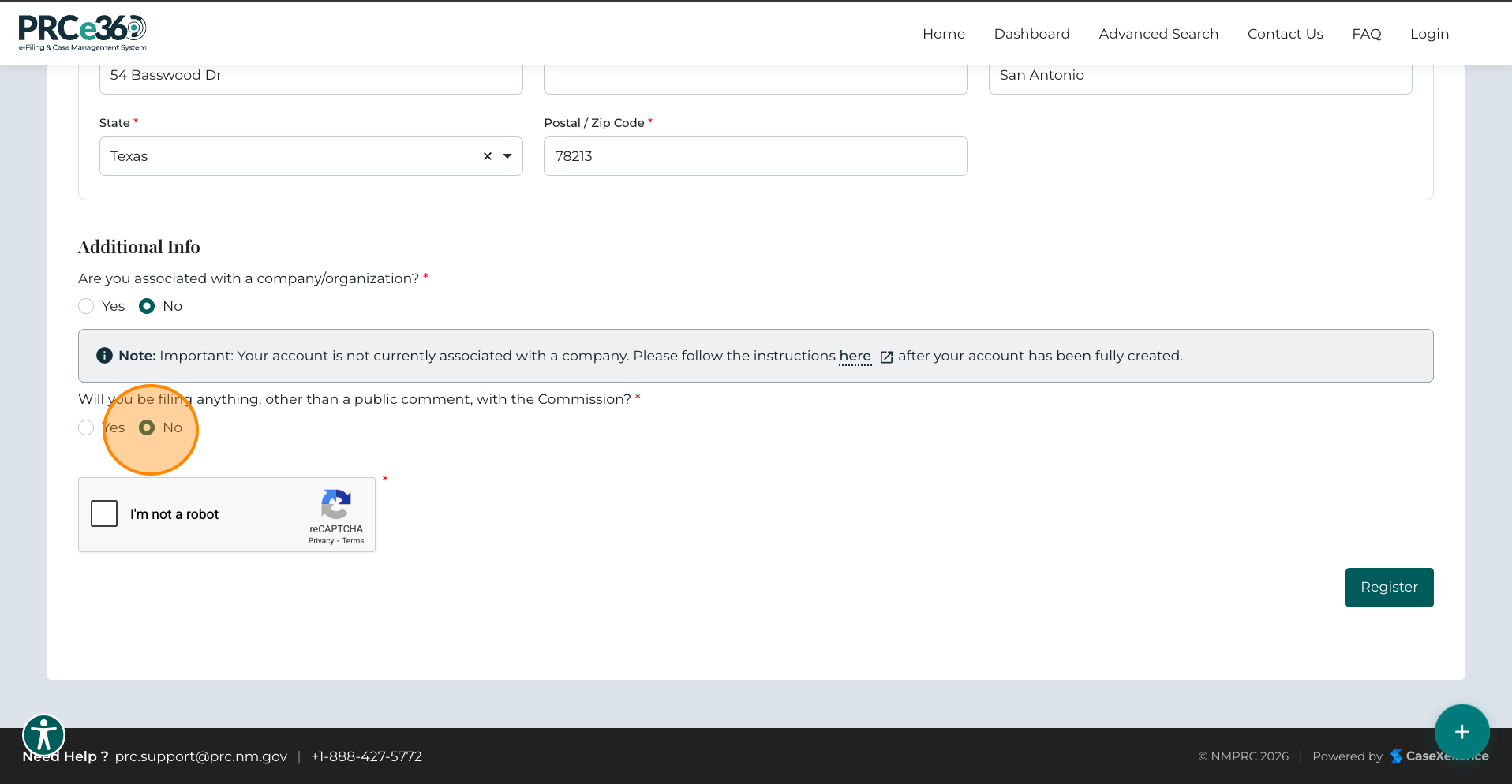
You will be prompted with the question:
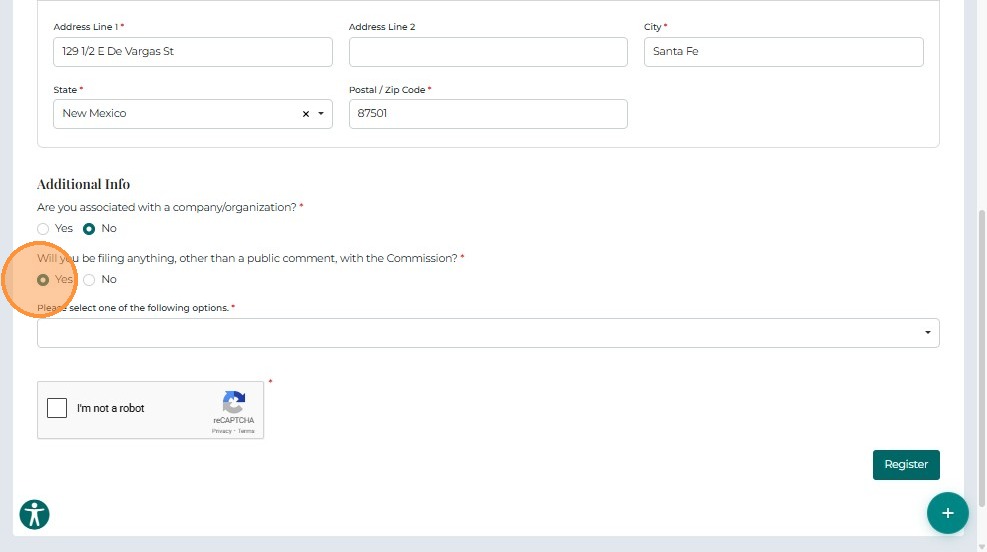
"Will you be filing anything other than a public comment with the Commission?"
- If you select No, you will be registered as a Tier 1 User.
For Tier 2 Users
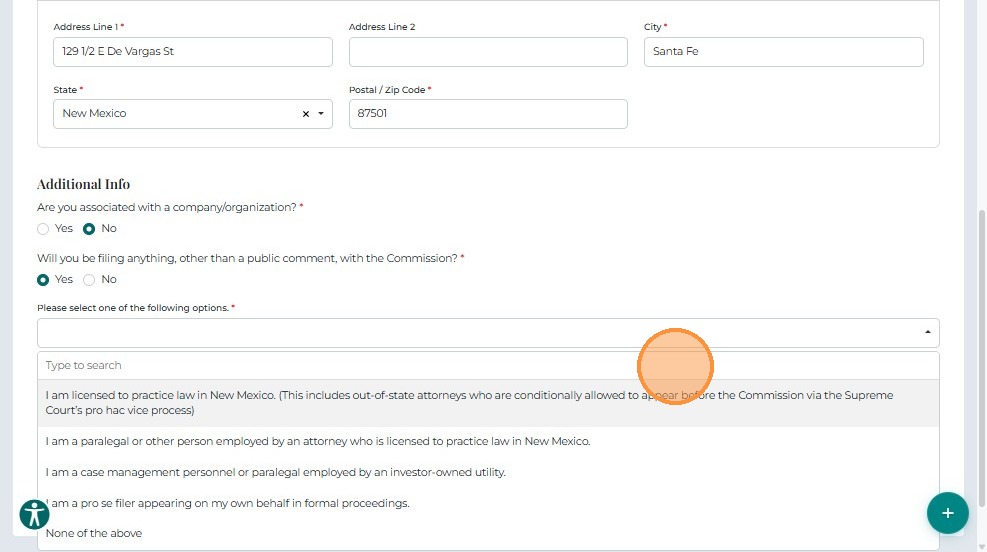
If you select Yes, you must specify your filing role by choosing one of the following options:
- Licensed attorney (including pro hac vice)
- Paralegal employed by an attorney
- Docket management personnel of an investor-owned utility
- Pro se filer
- None of the above
Note: Selecting "None of the above" will register you as a Tier 1 User.
Difference Between Tier 1 and Tier 2 Users
| Feature | Tier 1 User | Tier 2 User |
|---|---|---|
| View public comments | Yes | Yes |
| Submit public comments | Yes | Yes |
| File new dockets/Dockets | No | Yes |
| File into existing dockets | No | Yes |
| Create rulemaking comments | Yes | Yes |
| Submit filings/documents | No | Yes |
| Access dashboard functionalities | Limited to public queues | Full access to personal and public queues |
5. Submit Your Registration
Before completing registration:
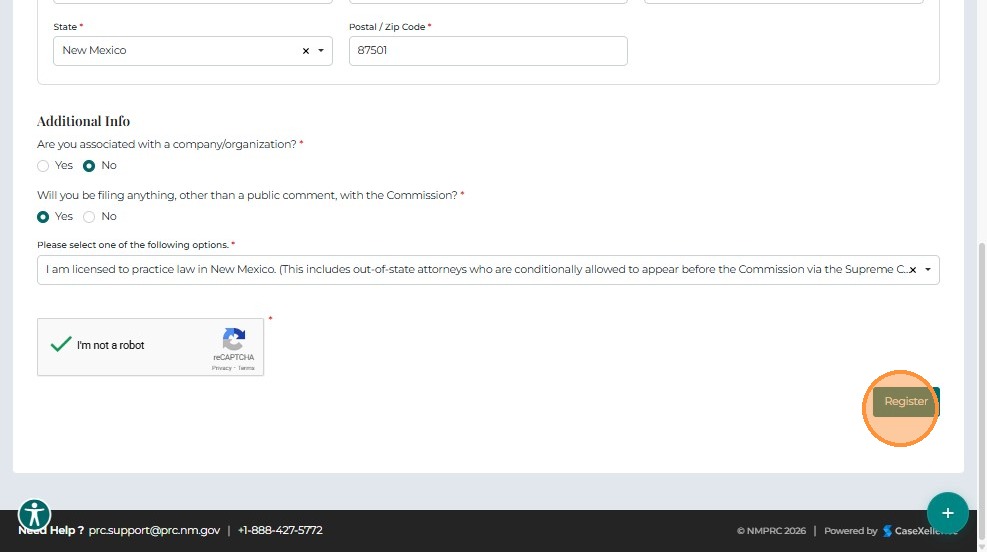
- Check the "I'm not a robot" box (reCAPTCHA verification).
- Click Register to submit your application.
6. Registration Pending
For Tier 1 Users
After submitting your registration:
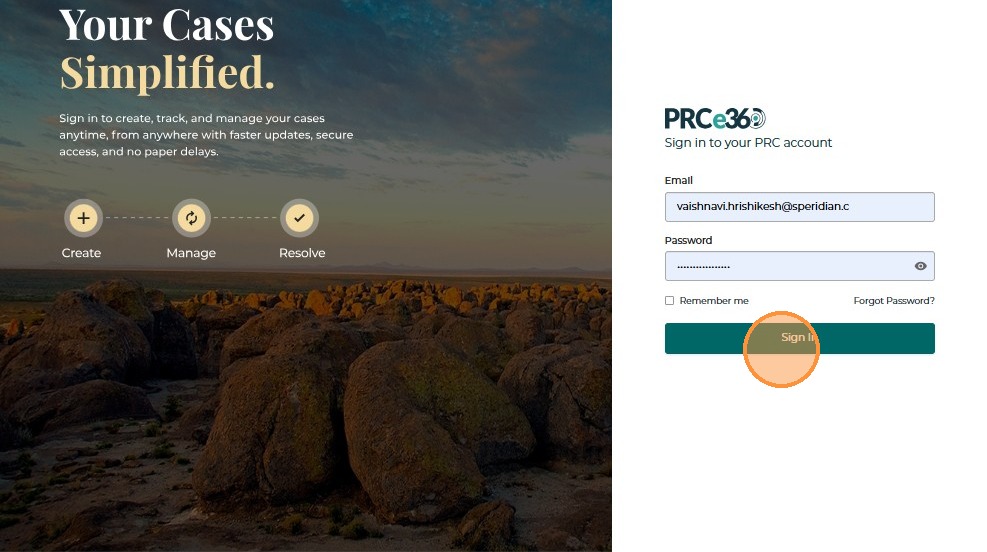
- You will be redirected to the Login Page.
- Enter your Email or Username and Password to log in.
For Tier 2 Users
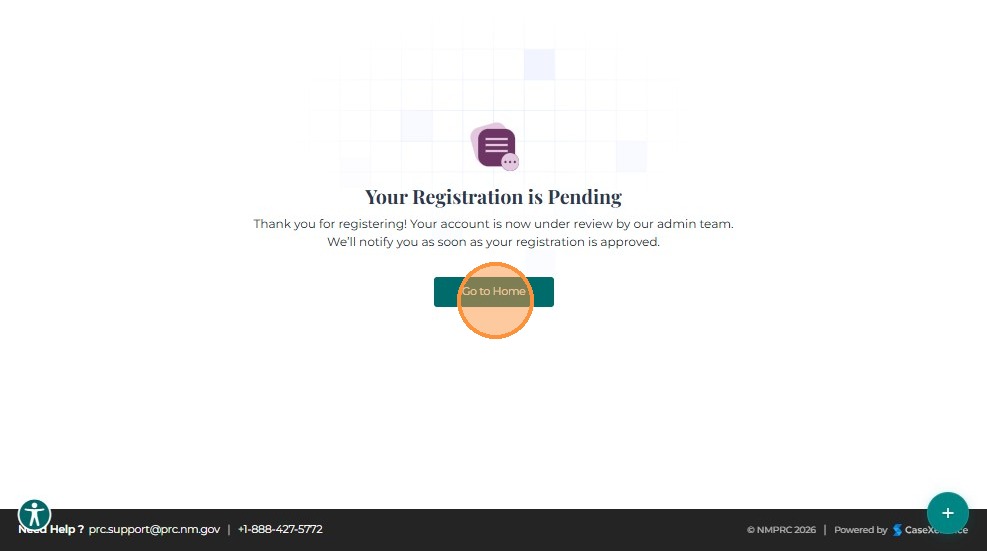
After submitting your registration, a confirmation message will appear stating:
"Your registration is pending."
This means your registration will undergo administrator approval.
Once approved, you will receive an email confirmation and can then proceed to log in.
7. Login After Approval
Once your registration is approved, you will receive an approval email with a link to the login page.
To log in:
- Click the link in your email or go directly to the NMPRC portal.
- Enter your Username and Password.
- Click Sign In to access your account.
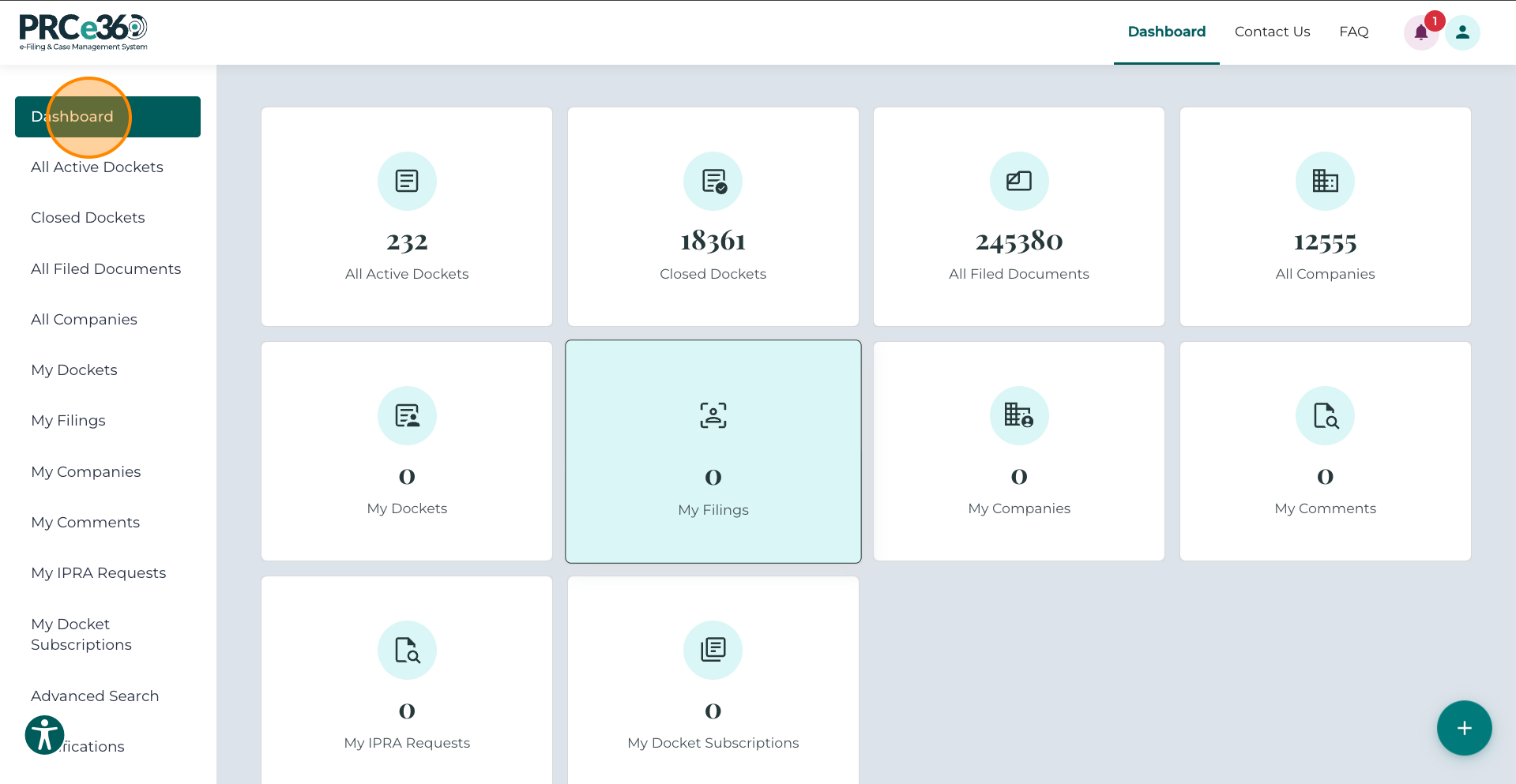
After a successful login, you will be redirected to your Dashboard, where you can manage Dockets, filings, and comments.
8. Next Steps After Registration
Now that you're registered and logged in, here's what you can do:
For Tier 1 Users
You can immediately:
- Submit Public Comments - Share your views on regulatory matters
- Submit Rulemaking Comments - Provide input on proposed rules
- Submit Formal Complaints - File complaints about utilities or services
- Submit IPRA Requests - Request public records
- Update Your Profile - Keep your information current
Want more access?
- Request Tier 2 Access - Upgrade to file dockets and manage companies
For Tier 2 Users
Once approved, you can:
- Submit New Dockets - Create new regulatory proceedings
- File Into Existing Dockets - Add documents to ongoing cases
- Register Companies - Register companies for filings
- Everything Tier 1 users can do (see above)
Learn More
- Dashboard Overview - Understand your dashboard
- Quick Start Guide - Find your path based on what you want to do
- Glossary - Understand key terms
- FAQ - Common questions answered
- Troubleshooting - Solve common issues
Related Guides
- Quick Start Guide - Find your path based on your needs
- Dashboard Overview - Learn about the dashboard
- Request Tier 2 Access - Upgrade your account
- Update User Profile - Manage your account information
- Troubleshooting - Solve registration and login issues
- FAQ - Registration and account questions